Your Complete
macOS Intelligence
Center
Monitor your system, track AI spending across 10+ providers, manage storage, and optimize your Mac — all in one beautiful native app.
Everything your Mac needs.
Nothing it doesn't.
From real-time system monitoring to AI cost tracking — ten specialized tools in one native macOS app.
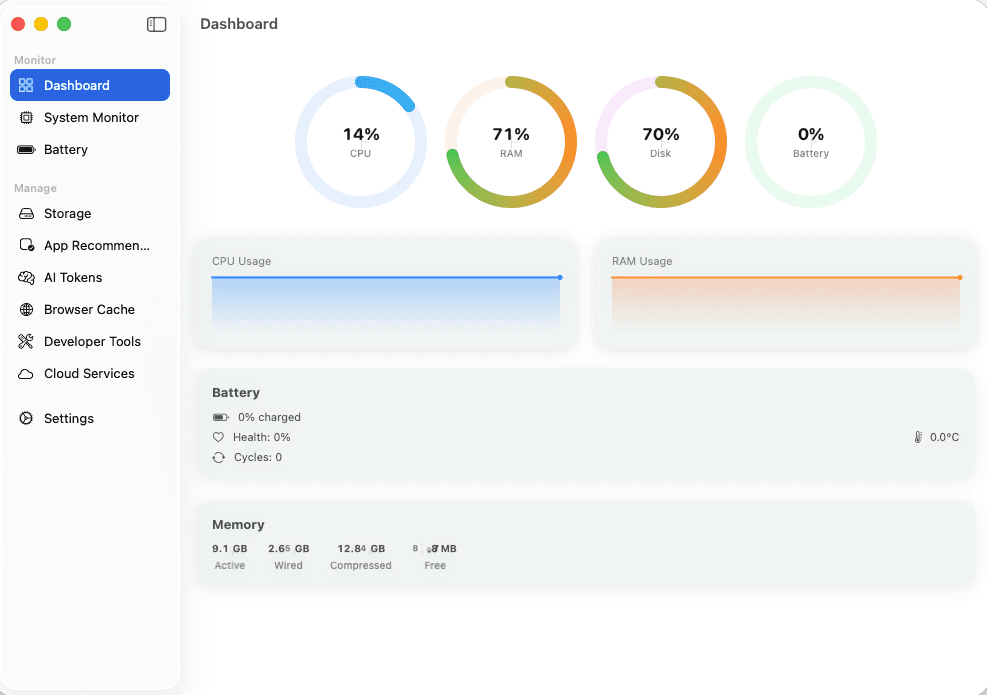
Real-Time Dashboard
CPU, RAM, Disk, and Battery metrics update live every 2 seconds. See your Mac's health at a glance with animated gauges and sparkline charts.
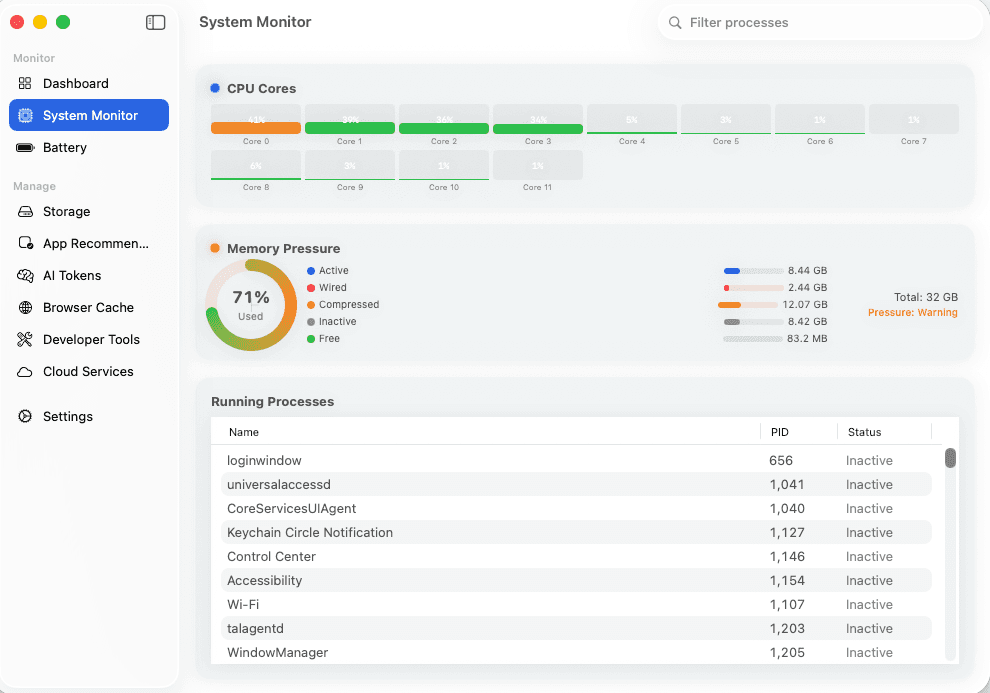
System Monitor
Per-core CPU breakdown, memory pressure analysis, and running process management. Drill into exactly what's consuming your resources.
Battery Intelligence
Track charge cycles, temperature, voltage, and capacity trends over 30 days. Understand battery degradation before it becomes a problem.
Storage Management
Treemap visualization of disk usage, large file detection (100MB+), and system cache cleaning. Reclaim gigabytes of wasted space.
AI Token Tracking
Track spending across OpenAI, Anthropic, Google, Groq, Mistral, and more. Cost aggregation with per-provider breakdown charts.
Browser Cache
Detect and clear cache from Chrome, Safari, Firefox, Edge, Brave, and Opera. See exactly how much space each browser is consuming.
App Recommendations
Find unused apps (90+ days), large apps (500MB+), and get smart removal suggestions. Severity-based prioritization with reclaimable space totals.
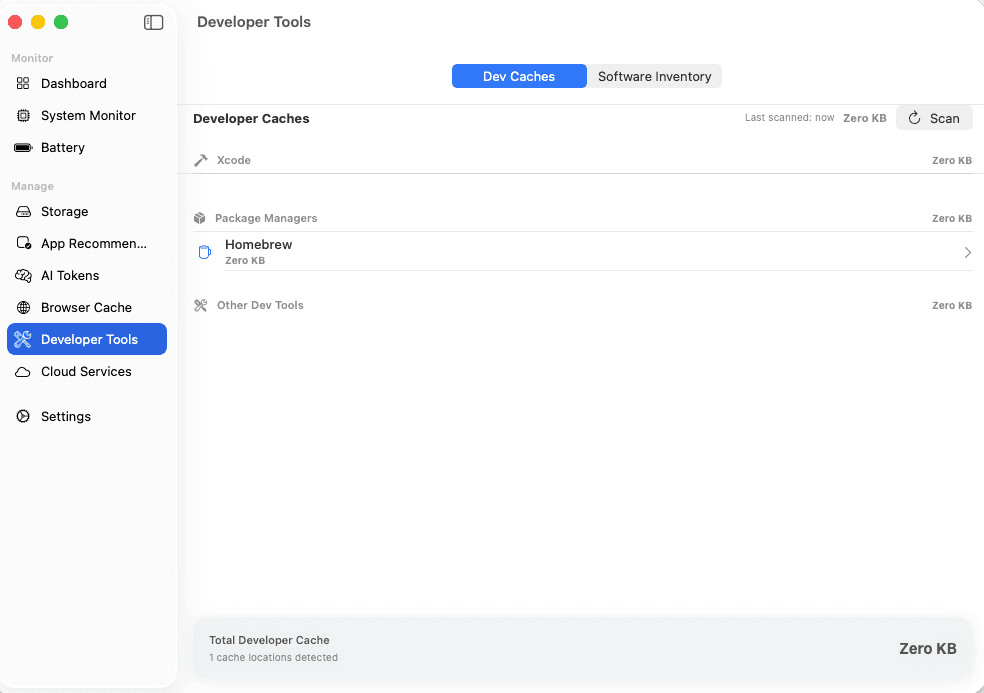
Developer Tools
Detect Xcode, npm, pip, gem, Gradle, and other build caches. Full software inventory of runtimes, IDEs, and databases on your machine.
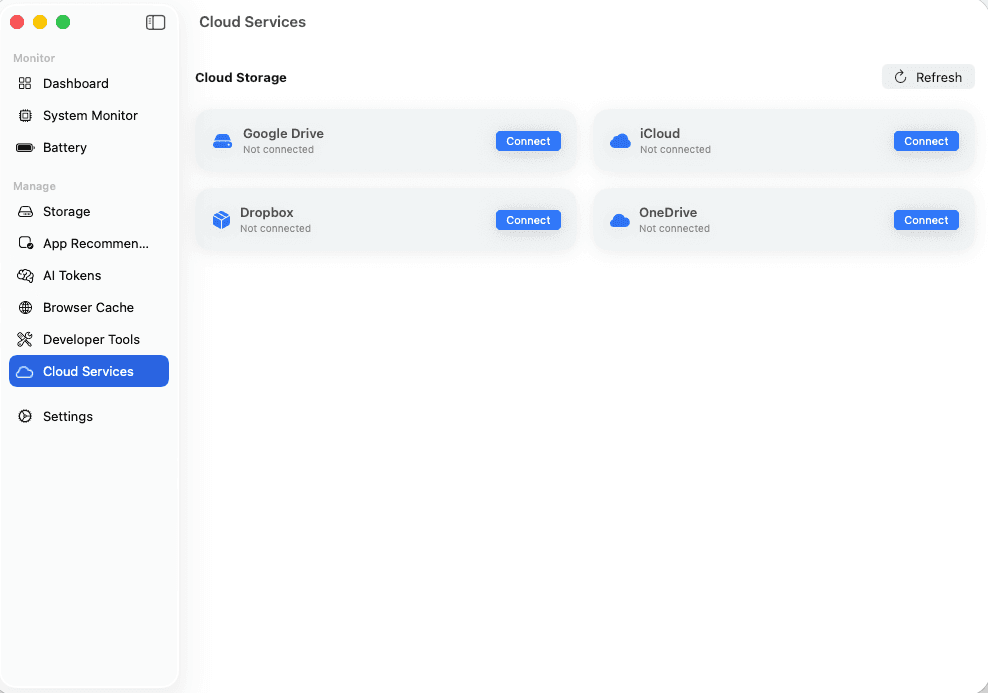
Cloud Storage
Unified dashboard for Google Drive, Dropbox, OneDrive, and iCloud. OAuth-secure connections with usage breakdown per provider.
Privacy-First
All processing happens on your Mac. API keys stored in macOS Keychain. No cloud sync, no telemetry, no data collection.
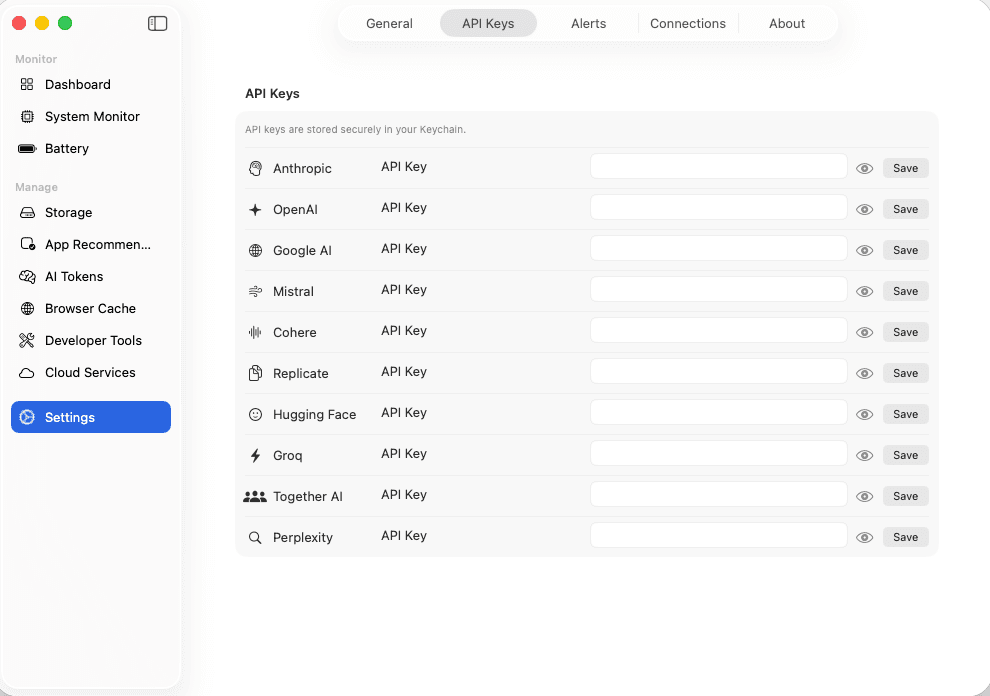
Stop guessing your AI spend
Connect your API keys once and track costs across OpenAI, Anthropic, Google AI, Mistral, Groq, Cohere, Hugging Face, Together AI, Replicate, and Perplexity. See cost breakdowns, token usage (input vs output), and spending trends — all in one dashboard.
- 10+ AI providers supported
- Cost aggregation & breakdown charts
- Input vs output token tracking
- Configurable refresh intervals
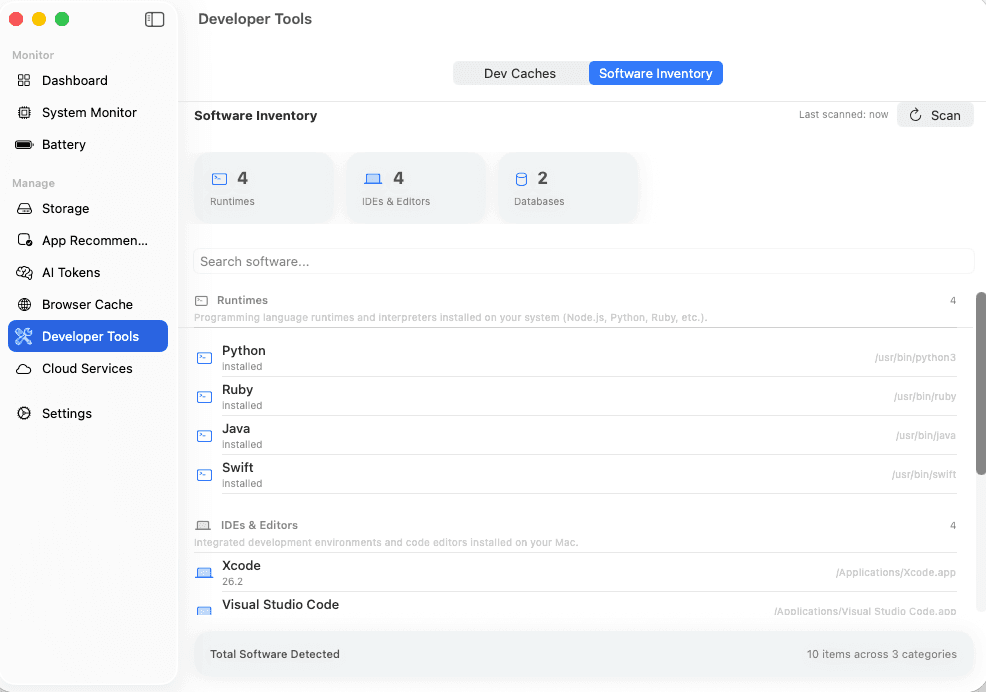
Reclaim gigabytes of dev cache
Detect and clean Xcode DerivedData, Homebrew caches, npm/pip/gem packages, and more. Plus a full software inventory of every runtime, IDE, and database on your machine.
- Xcode, npm, pip, gem, Homebrew caches
- One-click cache clearing
- Full software inventory
- Categorized by type
Find what you forgot you installed
Automatically scan installed apps for unused software (90+ days), large applications (500MB+), and provide severity-rated removal suggestions with estimated space savings.
- Unused app detection (30/90+ days)
- Large app identification (500MB+)
- Severity-based prioritization
- Reveal in Finder integration
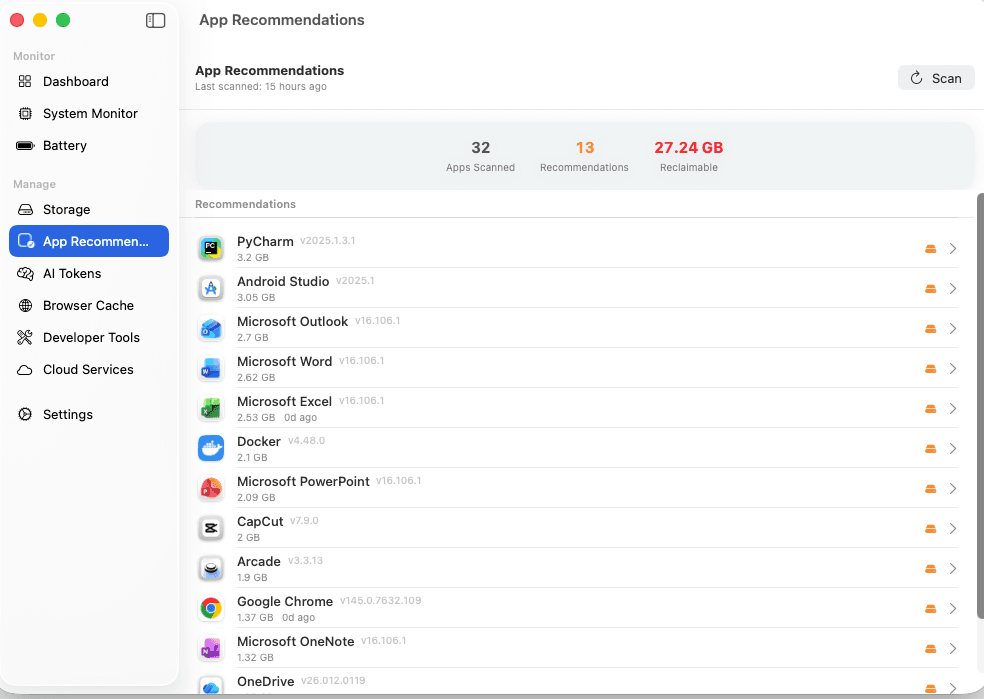
See it in action
A native macOS experience crafted with SwiftUI. Every pixel purposeful, every animation fluid.
Free vs Premium
Free tier gives you 3 uses per week. Premium removes all limits.
Invest in your Mac's health
Stop paying for multiple tools. One app replaces your system monitor, battery tracker, AI cost dashboard, and cache cleaner.
Free
3 uses per week of core features
- Real-time CPU/RAM/Disk/Battery
- System Monitor with process list
- Basic battery analytics
- Menu bar widget
- 3 uses per week limit
Yearly
Unlimited access — save 17%
- Unlimited usage — no weekly limits
- AI token tracking (10+ providers)
- Battery history (24h/7d/30d)
- Large file finder & cache cleaner
- Browser cache analysis & clearing
- App recommendations
- Developer cache cleanup
- Software inventory
- Cloud storage dashboard
- Per-app CPU/RAM monitoring
Lifetime
Pay once. Own it forever.
- Everything in Premium — forever
- All future updates included free
- Zero recurring charges
- Priority feature requests
- Early access to new features
- Pays for itself in 2 years
Questions? Answers.
Your Mac deserves
better monitoring
Activity Monitor shows you numbers. Mac Analyser gives you intelligence — battery health trends, AI cost breakdowns, storage maps, and one-click cleanup.
macOS 14+ required. Free tier includes 3 uses per week. No account needed.